Automating my job hunt with Reactive Resume and Claude Code
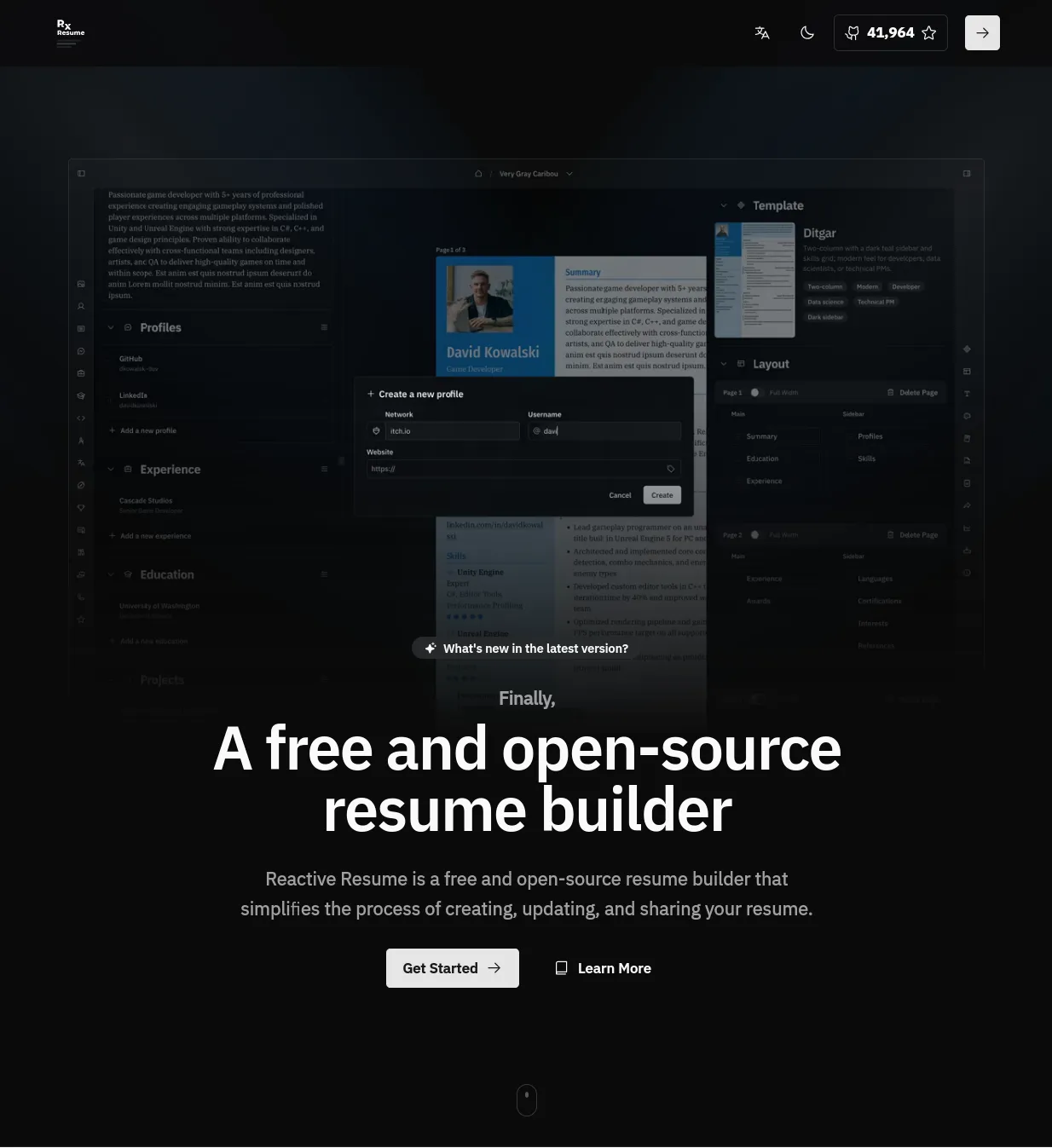
Applying for jobs right now is brutal. The advice is to send out hundreds of applications, tailor your resume to each one, and follow up, and then most of them disappear into some company’s applicant tracking system (the software that sits between you and a human recruiter) and you never hear back. Just keeping track of what you applied to, which version of your resume you sent, and where each one stands turns into a part-time job on top of the actual job search. I got tired of doing all of that by hand, so I started building a system to take some of the tedium off my plate.
Reactive Resume is an open source resume builder and application tracker. You can sign up and use it on their website, or you can self host it. You can spin it up locally with Docker when you need it, or run a persistent instance like I do (which is how I’m able to send people a link to my resume).
I was recently turned on to it by a former bootcamp student (Thanks Garrett). It’s making tracking the hundreds of resumes I’ve had to submit much easier, especially if you custom-tailor each resume for each job application.
Here’s how I’m using it.
Producing your resume
Editing your resume is really easy in Reactive Resume; you just fill out the forms using its resume builder. This is great because your skills, job experience, etc. are all stored in a structured way.
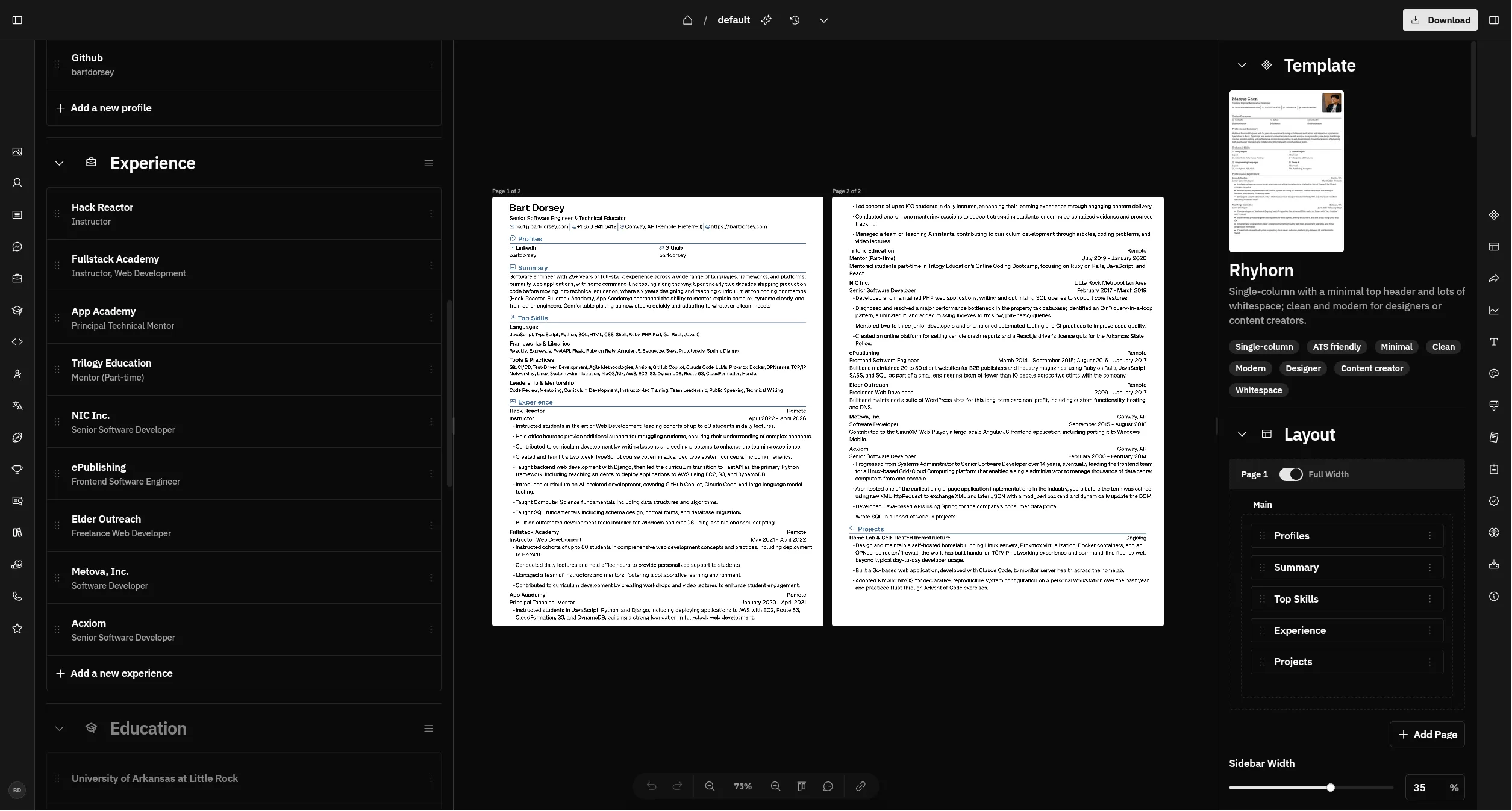
Reactive Resume includes several themes you can choose from, and it can produce PDFs, Word files, and other formats based off of that, so you can have a fancy resume to take to in-person positions, and a more machine-parseable version to submit to online job application systems.
Here’s my current resume in a theme that is machine-parseable:
https://resume.bartdorsey.com/bartdorsey/default
Tracking your applications
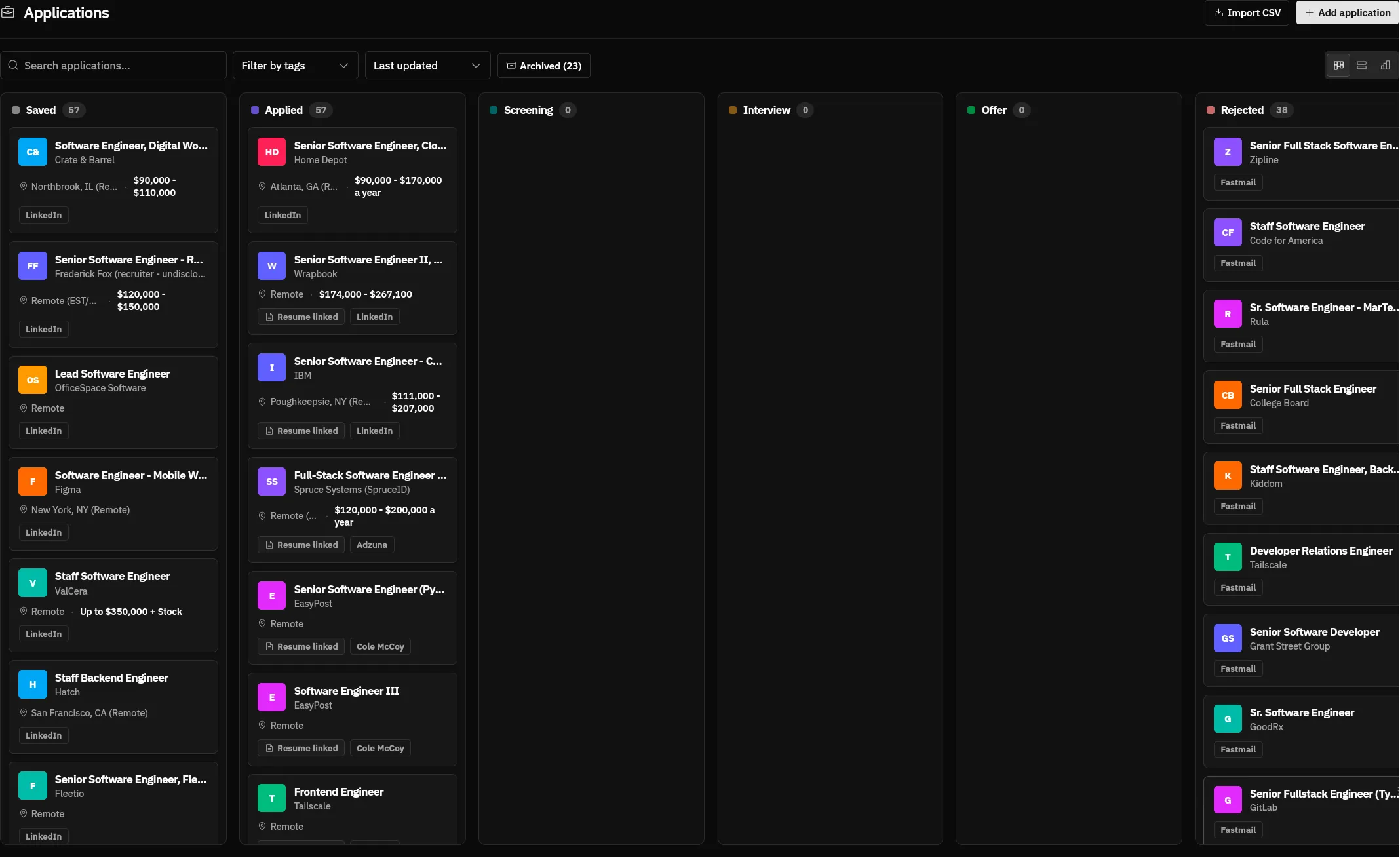
The other half of Reactive Resume is an application tracker. It’s a Kanban board where each job you’re chasing is a card, and you drag it between columns as things move along, from a job you want to apply to, to applied, to interviewing, to (usually) rejected. Each card holds the job description, notes, and a link to the exact version of the resume you sent.
This alone is a big upgrade over what I was doing before, which was trying to remember what I’d applied to by digging through my sent mail.
Agent support
One of the nicest features is that Reactive Resume includes an MCP (Model Context Protocol) server built in, which means it’s easy to hook the AI agent of your choice to it. I’ve connected it to Claude Code, but it should work with any agent that supports MCP.
Reactive Resume has its own built-in AI chat that can access your resumes and application data, so you might wonder why I bother connecting Claude Code at all. It doesn’t work with my Claude Pro account, and while it does work with $10 of OpenRouter credits, connecting my existing Claude Code setup has just been a better experience.
Once it’s connected, there are three main things I have the agent do for me:
- Search for jobs across a few different sources and add the promising ones to my tracker.
- Manage my applications in the tracker, including moving them along as things progress.
- Tailor my resume to each job before I apply.
Searching for jobs
- Indeed has a built-in skill for Claude, so you can enable that.
- Adzuna. Adzuna has an API with a free plan that you can use to search for jobs. I had Claude Code create an MCP server to talk to the Adzuna API so it can now use that to search.
- LinkedIn - This is tricky. There’s no API for LinkedIn and scraping the site could result in a ban. However, using the built-in Chrome skill, Claude is able to do a job search and read the jobs from the LinkedIn page. Note however that this is pretty slow. It might be faster to do the search yourself, and then just give your agent the URL to the listing and have it ingest it.
Worth noting: I didn’t write any glue code for this. The Adzuna MCP server and the wiring between services all came from describing what I wanted to Claude Code and letting it build them. That’s sort of the whole point.
After I get Claude Code to search through these sources using a variety of keyword searches, it uses the Reactive Resume MCP server to add the promising ones to my tracker.
Managing your applications
Once jobs are in the tracker, the agent can keep them up to date for me. It can move a card to “applied” when I submit, add notes to a card, and generally save me from clicking around the board myself.
I also connected Claude Code to my Fastmail account (your email provider should work as well). I can have the agent search for emails related to applications that are in flight, and when a rejection comes in it can automatically move that application to the Rejected column.
Tailoring your resume
You can have the agent read the job description, read your resume, and tailor the resume for that specific application. It then attaches that version to the card in the tracker, so you always know exactly which resume went to which job.
Using CLAUDE.md
I use a CLAUDE.md in my “job-hunt” folder so that Claude Code can remember my job preferences, and any other instructions to keep it on track.
Putting it all together
So my typical workflow looks like this:
- Prompt Claude to search my application sources, and add any new jobs to my tracker
- Have it rank them according to how closely they match my resume (this has been hit or miss, I’m looking for better ways to do this)
- Go through each application one at a time, and it will show me a summary of the job and the company.
- I will either say “apply” or “skip” if I think the job is something that matches my skills or seems suitable.
- If I say “apply”, Claude generates a tailored resume for the job in Reactive Resume and links it to the application, and exports a PDF into my job-hunt folder.
- Then Claude will open the job application site in Chrome and attempt to fill out the form (This ends up being really slow, so a lot of the time I just fill it out myself and upload the PDF)
- Then Claude will mark the application as “applied” in the job tracker, and we continue to the next job.
This removes a lot of the friction from applying to jobs. I’m also not scattershot just letting the agent apply to everything, because a lot of the time it will choose really badly suited jobs for me. Like any use of AI, you need to keep the human in the driver’s seat and watch it carefully or it is liable to go off the rails.
At any point I can go to the website and look at the jobs I’ve applied to, and track what’s going on with them.
I also had Claude go through my email and add in jobs I had applied to before I set up this system and find rejection emails for them. Doing so does paint a picture of just how unsuccessful applying to jobs online is though.
Is it worth setting up? If you’re already comfortable with Claude Code and you’re applying to jobs in volume, yes. If you’ve only got a handful of applications to send, it’s probably more setup than it’s worth.
In any case, I do hope that this system is helpful to you for taking some of the pain out of the tediousness of applying for jobs.